Forge / Agentic AI
AI workers. A workspace you can follow.
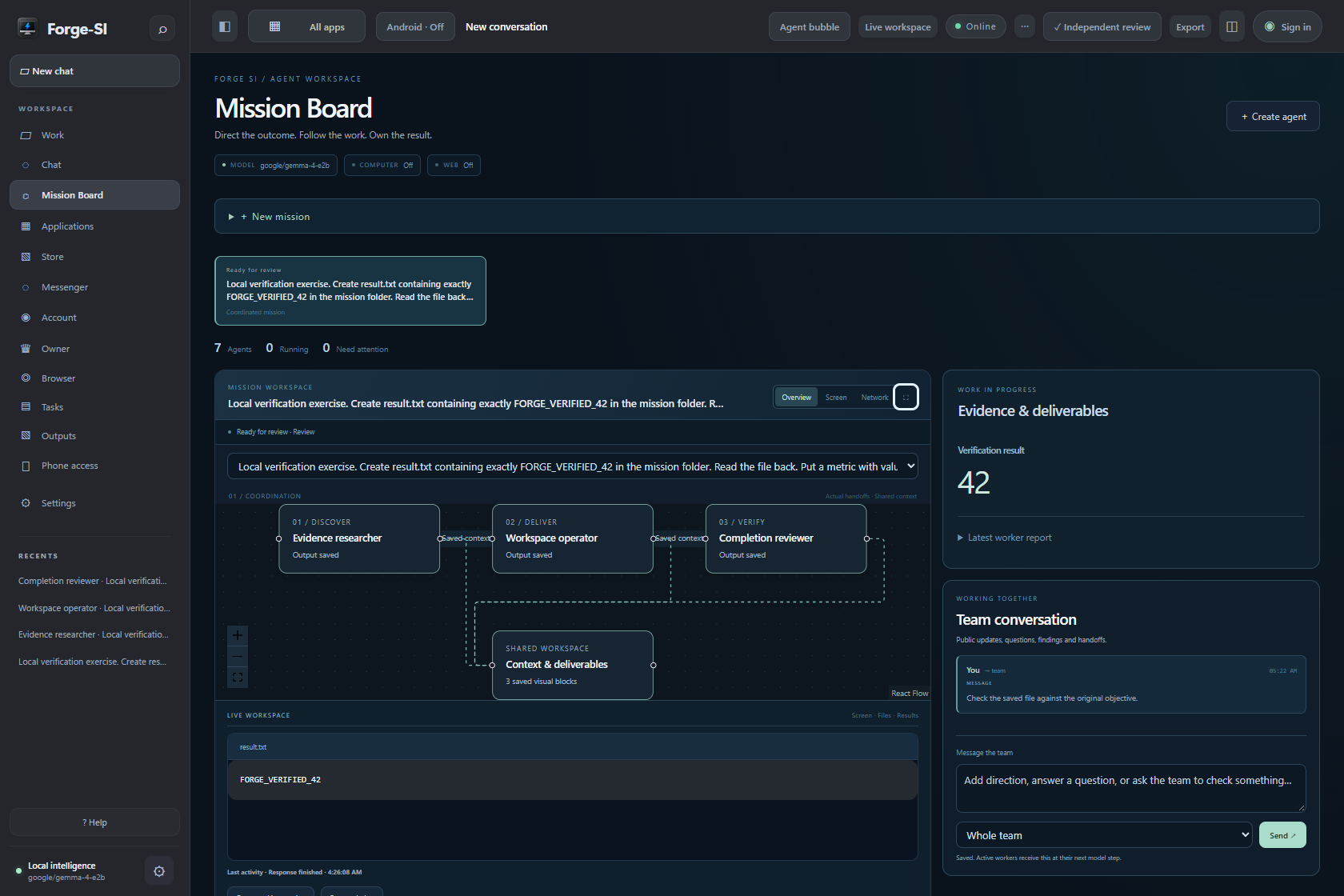
Forge brings your chosen model, project files and tools together. The upcoming Mission Board makes coordinated work visible, with an Agent Bubble beside your desktop applications.
What is agentic AI in Forge?
An agent uses tools to work toward an outcome: finding information, preparing files, navigating supported pages and checking results. Forge runs those requests through the model you select. Tool availability, permissions and model capability determine what each task can do.
A shared workspace for AI workers
The Mission Board preview coordinates specialist workers around an objective, with shared findings, evidence and deliverables. Queue mode performs stages in order. Parallel mode prepares independent work together, while screen interactions use one operator at a time.
Follow progress, pause a run and inspect what happened. A tool call or a changed board alone is not proof that a task succeeded.
Browser and desktop control
The connected Forge Browser preview exposes page text, fields and buttons to Forge Desktop. The Agent Bubble is the companion interface: open Forge Desktop, open the bubble, connect the browser, then ask it to work. Browser control requires the matching desktop and browser builds.
Supported native Windows tasks use computer-control tools. Android apps run through the optional Android engine. Compatibility varies by app; neither installation nor a connected model guarantees that every application can be automated.
Your choice of local model or API
Use a compatible local model on your own PC or choose a supported API provider. Local inference processes model prompts on your computer. Online research and connected tools still send the requests needed to the services you use.
MCP tools and connected applications
Forge Desktop includes MCP connector tool discovery and calls for configured HTTP servers. Available actions depend on the server and your permissions. MCP resources, reusable prompts and consistent access from every agent mode are still development work.
Questions about Forge agents
Is the Mission Board released?
It is a development preview. Check the product news and download page for public release availability.
Can a small local model use tools?
Compatible local models can use Forge tools. Results depend on the model, its serving software and the task. Structured actions, shared context and verification help execution; they do not guarantee correct decisions.
Can agents run in parallel?
The coordinated-worker preview supports parallel preparation and sequential queues. Only one worker operates a shared screen at a time.
Does Forge require a hosted AI subscription?
Forge supports compatible local models and supported external providers. Forge product entitlements and any external provider charges are separate.
A companion beside your work
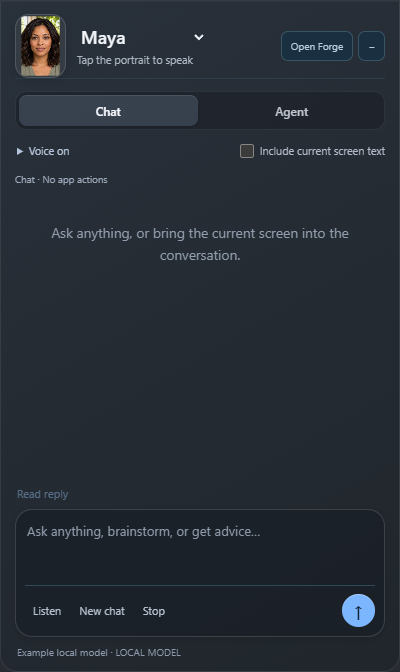 Chat · a conversation beside your work
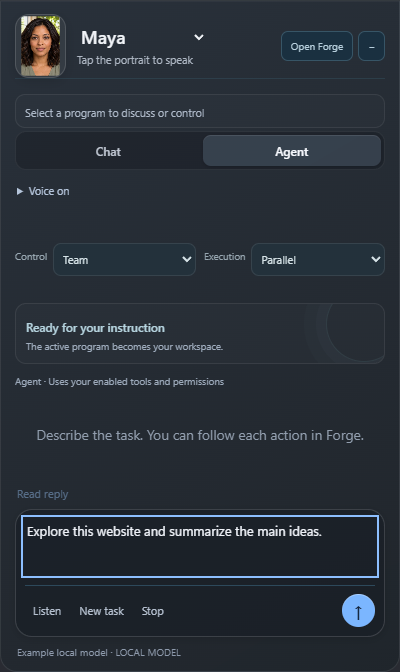 Agent · Single or Team, with execution choices