A CLOSER LOOK
See what’s
taking shape.
Explore the latest interface, from your Windows workspace to the phone in your hand.
VOICE + APPLICATION WORKSPACE
Talk it through.
Keep the app in view.
Open the application workspace beside your voice portrait. Discuss its saved records, review proposals and see the worksheet while you talk.
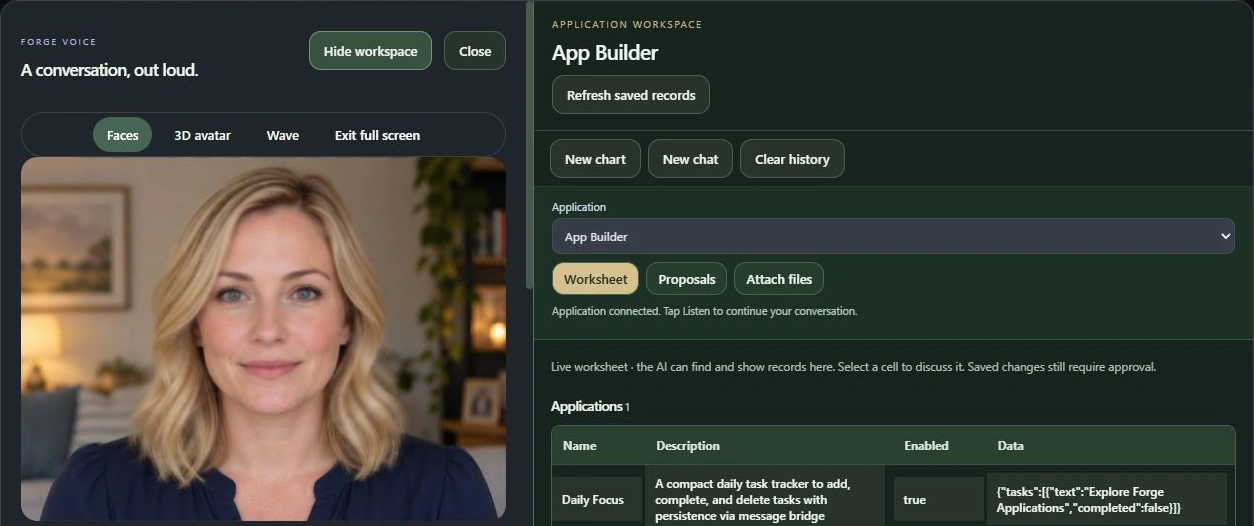
Captured from Forge with example content. Cropped still interface view; microphone and speech playback were not active for this screenshot.
VOICE, WITH A FAMILIAR FACE
A little more
personality.
Choose a portrait for your voice conversations. Six distinct characters, each with their own setting. Find the face that feels right for your workspace.
Explore voice on your phone →
Talk through
what’s on your mind.
Think out loud, discuss a document or keep a conversation going with your selected model. Portrait and voice controls give the experience a personal touch.
These are still images of the actual Forge characters, not live video or a demonstration of speech animation. Leo is the core portrait; the other adult portraits require Business Pro in Standard or Complete in Pro. Voice availability depends on your setup.
Select a character to see their portrait.
FORGE LINK · ON YOUR ANDROID PHONE
Your Forge.
Right in your hand.
Real interface previews, large enough to explore. Continue Chat, open supported applications and stay connected to your own PC.
Explore the Android companion →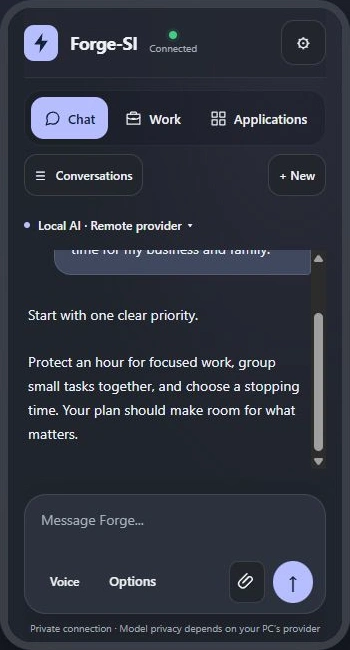
Chat, attachments and voice controls.
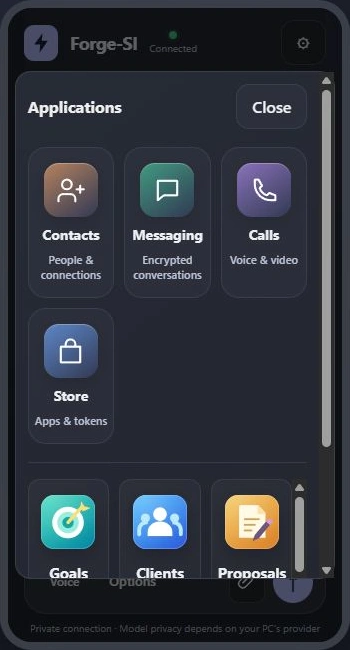
Supported installed apps, in three columns.
Current interface previews with sample content. Forge Link requires an awake, reachable and paired PC. Plan, app entitlements and permissions apply.
CHAT + APPLICATION WORKSPACES
A conversation.
A workspace. A way forward.
See where ideas become plans and plans become work. Open any screenshot for a closer look.
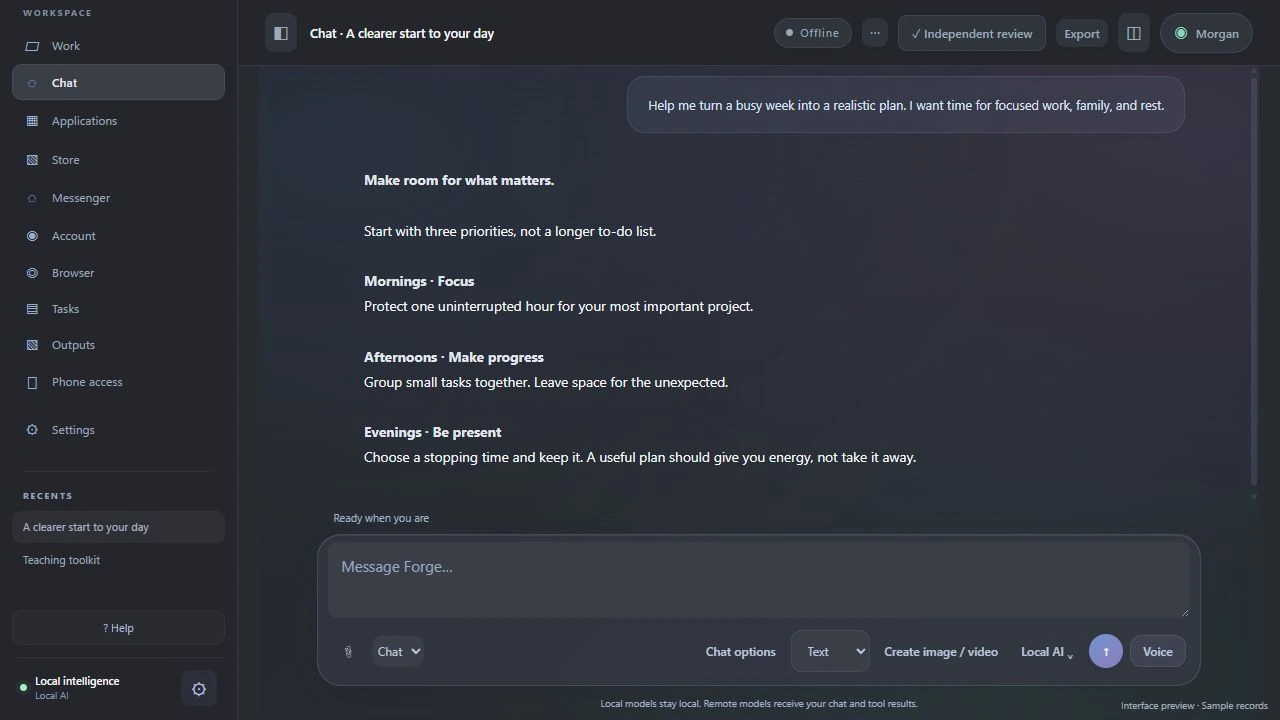
Discuss an idea, ask a question or work through your documents with your selected model.
View full screen ↗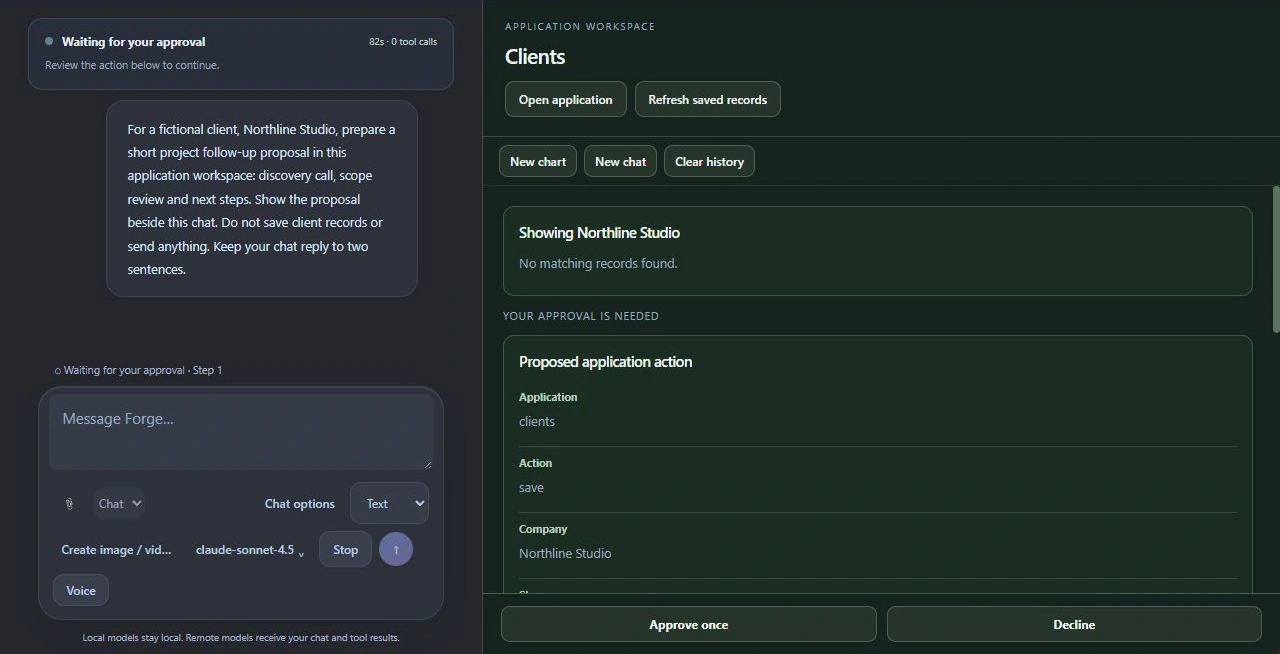
Application chat alongside the Clients workspace, with a proposed change and approval controls. Captured from Forge with a fictional example.
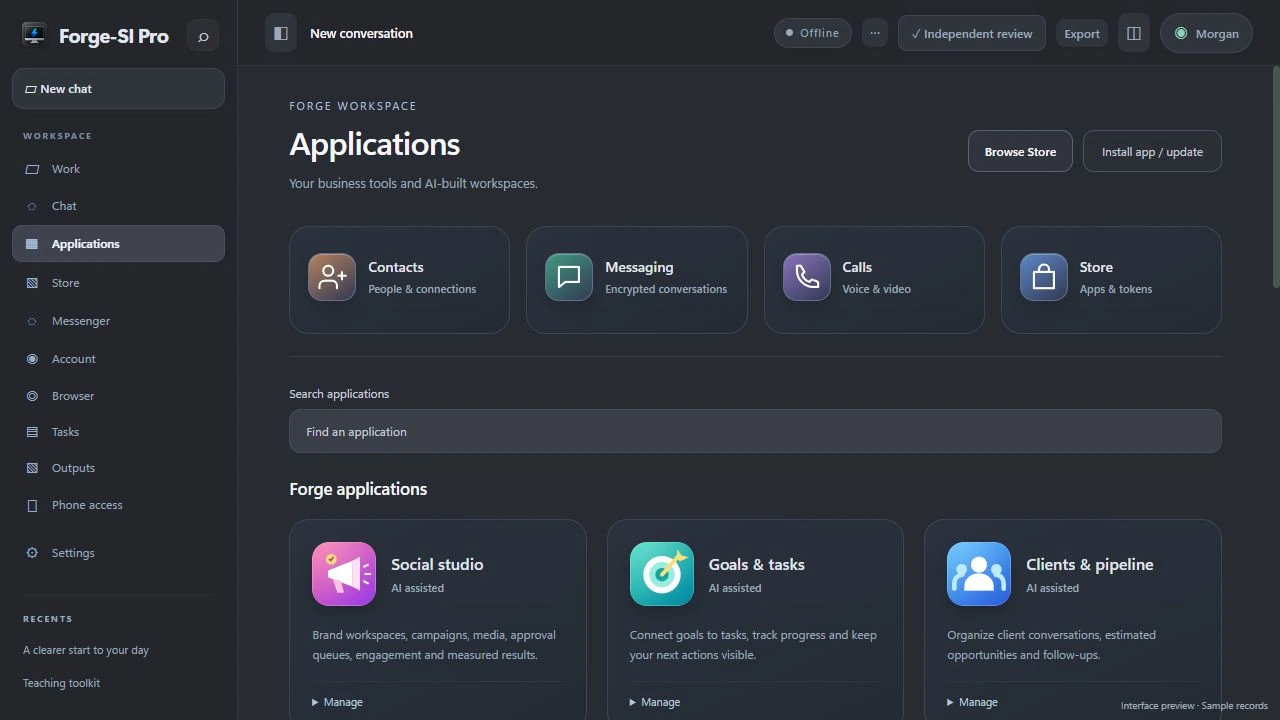
View full screen ↗A home for your Applications.
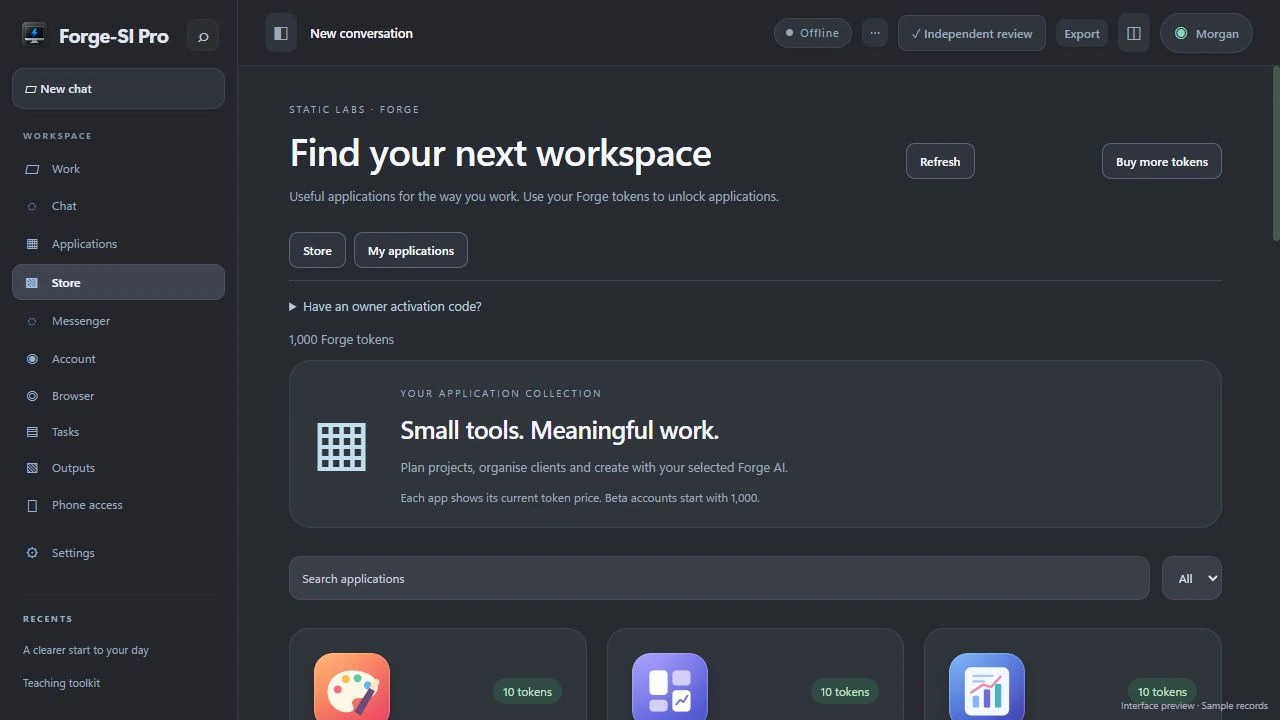
Build your collection.
People, within reach.
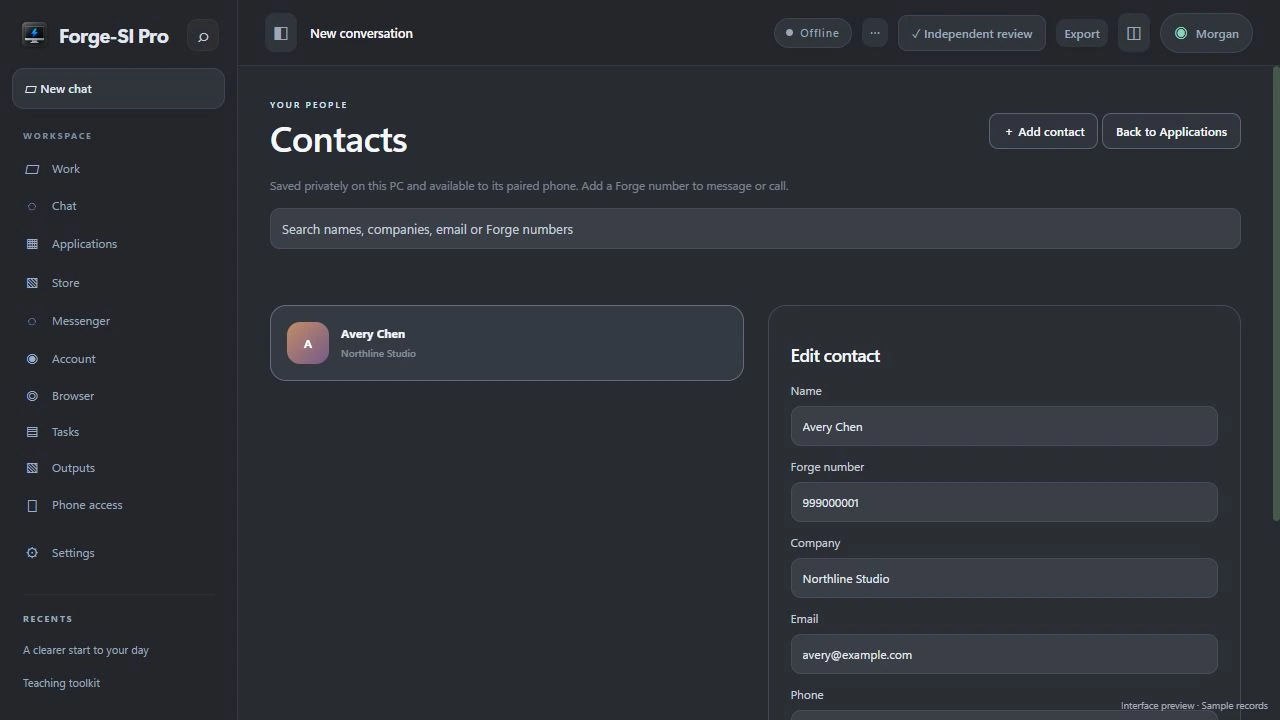
Latest Windows update in Microsoft certification. Interface examples use sample content.