Bring the project.
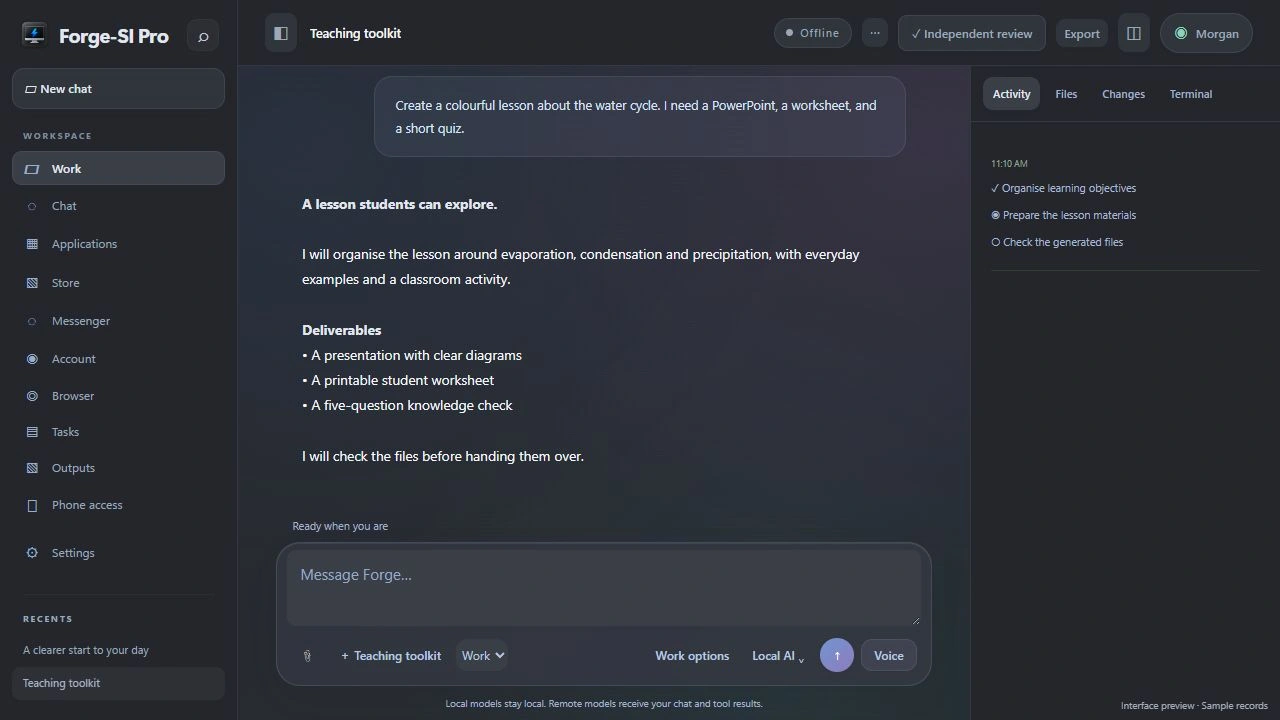
Choose a project folder or describe a new application. Give Forge the goal, the constraints and the context it needs.
BUILD WITH FORGE · WINDOWS
Forge Studio Intelligence brings conversation, project files and development tools into one workspace. Start with an idea, explore an existing codebase or work through a repair—with your chosen model.
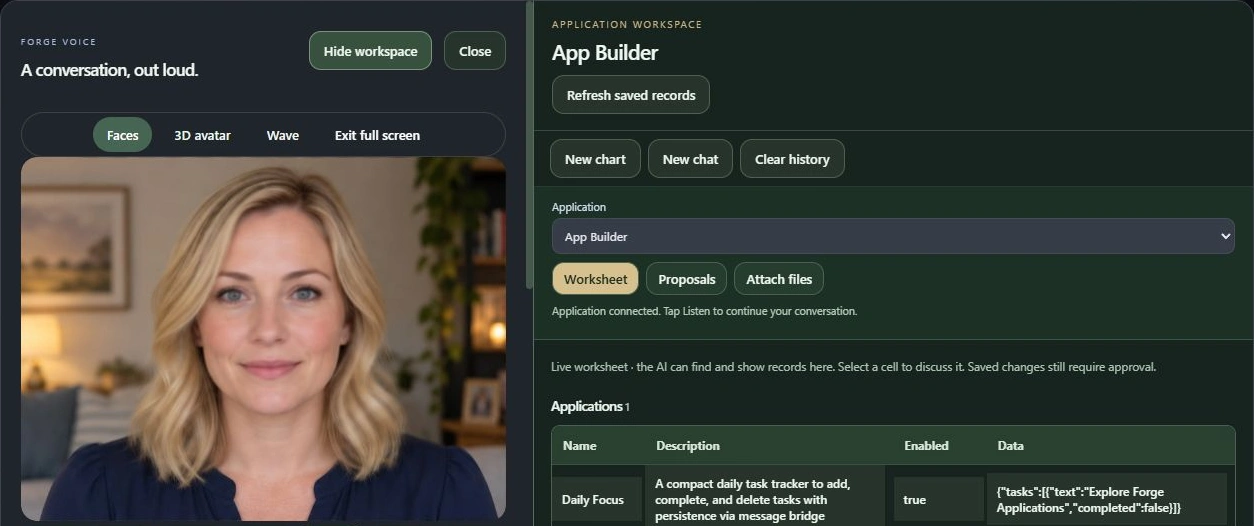
A PLACE TO MAKE THINGS
Move between a conversation and the application workspace. Describe what your app should do, inspect its structure and refine it in context.
Meet App Builder →FROM IDEA TO SOMETHING REAL
Your model and enabled tools do the work with you. The files and results stay inspectable.
Choose a project folder or describe a new application. Give Forge the goal, the constraints and the context it needs.
Use Work with enabled file and command tools to explore code, edit files and run supported development tasks.
Follow activity, read changes and check command results. Run the build and tests your project needs.
Use your project’s tooling to build an artifact. Forge’s Publisher can prepare supported application packages for the Forge catalog; external stores have their own requirements.
YOUR WORK, IN VIEW
Work is designed around useful output: a working application, a repaired feature or files you can keep. Project context and tool results help ground the conversation.
Model capability, installed runtimes and enabled permissions determine what Forge can do. Review generated code and verify the build before publishing.
CHOOSE YOUR INTELLIGENCE
Use a compatible local GGUF model or configured local server. Model size and your hardware shape performance.
Connect a supported API provider. Remote requests send the necessary prompts and tool context to that provider; its pricing and terms apply.
Enable the tools your project needs. Keep approval and permission controls appropriate to the task, especially when working with important files and services.